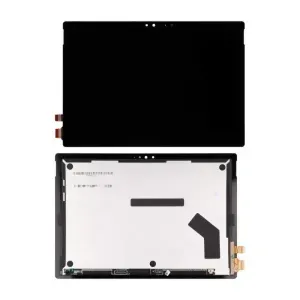
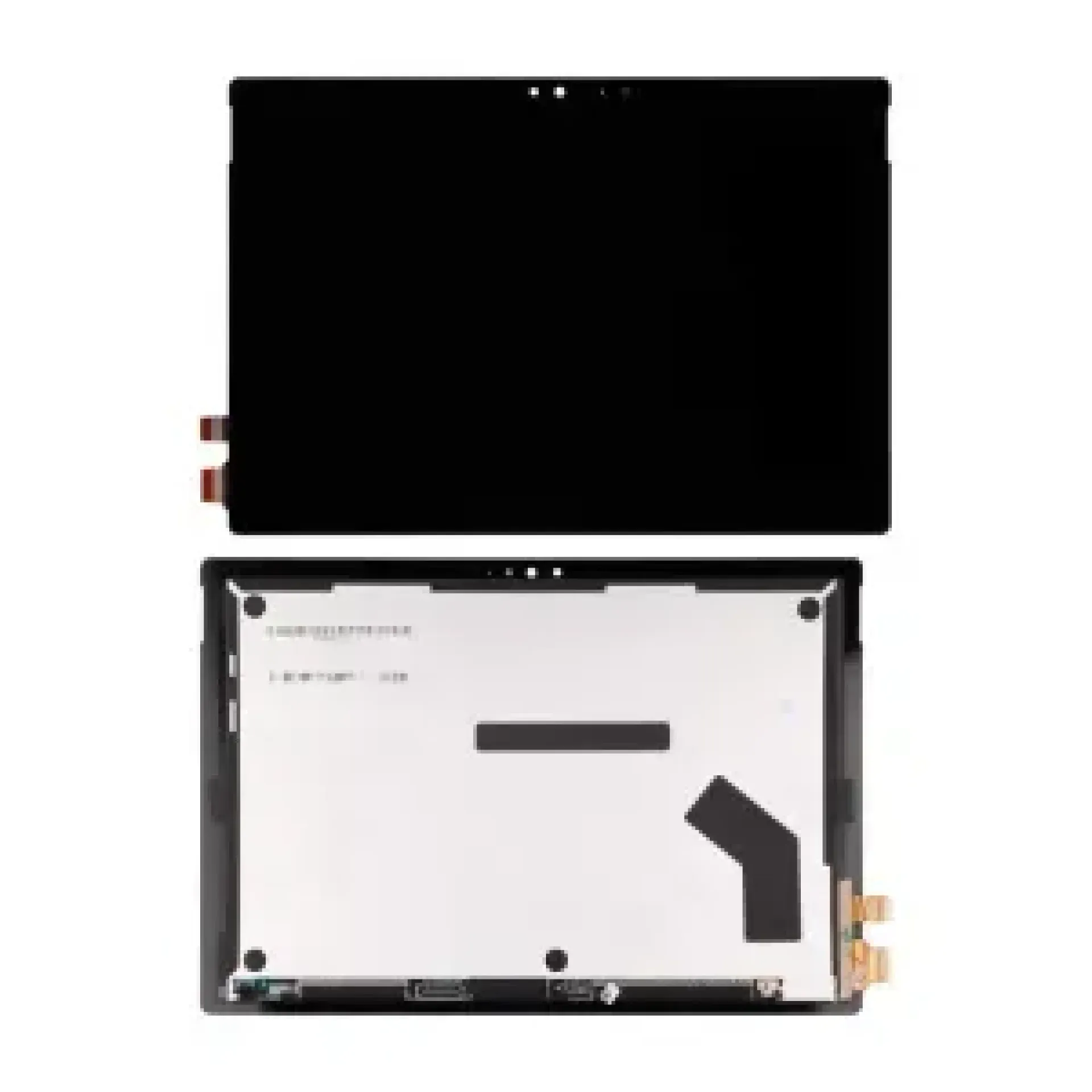
Microsoft Surface Pro 7 Touch Screen
- Genuine 12.3-inch replacement touchscreen assembly
- PixelSense IPS display technology
- Ultra-high resolution 2736 × 1824
- 10-point capacitive multi-touch support
- Full bonded LCD + digitizer + glass assembly
- High brightness and sharp image clarity
- Designed for Microsoft Surface Pro 7
- Supports Surface Pen input
- Slim edge-to-edge glass design
- Ideal for cracked or unresponsive screens
Introduction
The Microsoft Surface Pro 7 Touch Screen is a full replacement display assembly designed for the Surface Pro 7 tablet. It restores both display quality and touch functionality, making it ideal for repairing cracked screens, touch failure, or display damage. With its PixelSense high-resolution panel, it delivers sharp visuals and smooth interaction for productivity, education, and professional use.
Microsoft Surface Pro 7 Touch Screen
| Product | Price |
|---|---|
| Microsoft Surface Pro 7 Touch Screen | KSh 19,000 |
Microsoft Surface Pro 7 Touch Screen Key Specifications
| Specification | Details |
|---|---|
| Brand | Microsoft |
| Model | Surface Pro 7 |
| Screen Size | 12.3 Inches |
| Resolution | 2736 × 1824 (PixelSense) |
| Display Technology | IPS LCD |
| Touch Technology | 10-point Capacitive Touch |
| Assembly Type | LCD + Digitizer + Glass |
| Aspect Ratio | 3:2 |
| Backlight | LED |
| Stylus Support | Yes (Surface Pen compatible) |
Microsoft Surface Pro 7 Touch Screen Design & Build Quality
- Full laminated display assembly
- Edge-to-edge premium glass finish
- Lightweight and precision-engineered panel
- OEM-grade replacement construction
- Smooth surface for accurate touch response
- Durable bonding for long-term use
Microsoft Surface Pro 7 Touch Screen Performance
- Sharp 2736 × 1824 high-resolution display
- Excellent colour accuracy and clarity
- Smooth and responsive 10-point touch input
- Supports Surface Pen precision writing
- Stable brightness for indoor and outdoor use
- Reliable performance for multitasking and productivity
Microsoft Surface Pro 7 Touch Screen Connectivity
- Internal Surface display connector
- Integrated touch digitizer flex system
- Requires full device disassembly
- Professional installation strongly recommended
- Direct replacement for Surface Pro 7 only
Microsoft Surface Pro 7 Touch Screen Compatibility
- Microsoft Surface Pro 7 only
- Not compatible with Surface Pro 6, Pro 5, or Pro 8
- Must confirm exact model before purchase
Microsoft Surface Pro 7 Touch Screen Ideal Use Cases
- Replacing cracked Surface Pro 7 screens
- Fixing unresponsive touch issues
- Repairing display flickering or dead pixels
- Office and school device restoration
- Refurbishing used Surface Pro 7 units
- Repair shop replacement inventory
Microsoft Surface Pro 7 Touch Screen Smart Features
- PixelSense high-resolution display
- Full 10-point multi-touch support
- Surface Pen compatibility
- Laminated glass design
- LED backlighting system
- Energy-efficient performance
Microsoft Surface Pro 7 Touch Screen Pros & Cons
| Pros | Cons |
|---|---|
| High-resolution PixelSense display | Only compatible with Surface Pro 7 |
| Full touch + LCD assembly | Requires professional installation |
| Supports Surface Pen | Fragile during repair process |
| OEM replacement quality | Not universal across Surface models |
| Smooth touch response |
FAQs
What is the price of Microsoft Surface Pro 7 Touch Screen in Kenya?
It is priced at KSh 19,000.
Does it support touch?
Yes, it supports 10-point capacitive multi-touch.
What resolution does it use?
It supports 2736 × 1824 PixelSense resolution.
Is it compatible with other Surface models?
No, it only works with Surface Pro 7.
Does it include LCD and glass together?
Yes, it is a full display + digitizer assembly.
Conclusion
The Microsoft Surface Pro 7 Touch Screen is a reliable OEM replacement display designed to restore both clarity and touch functionality. With its high-resolution PixelSense panel, smooth touch response, and durable construction, it is ideal for repairing Surface Pro 7 devices used in professional, academic, and everyday environments.
At KSh 19,000, it offers a practical and cost-effective repair solution.
| Shipping Cost |
|